How it works
One OPD patient, start to finish.
A follow-up patient walks in at 10 AM with blurred vision. Here is what each person in the clinic does in Foveal until she leaves with a printed prescription and a copy on her phone. Nothing here needs installing: every screen is a browser tab.
01 · ReceptionCheck in, or register
The receptionist types her mobile number. She is a returning patient, so her chart comes up and one tap puts her in today's queue — about 15 seconds. A new patient takes about a minute: name, age, sex, mobile, and a consent tick. Foveal checks for an existing chart with the same details before it makes a second one.
The consultation fee is raised at the same moment, at your follow-up or new-patient rate, so nobody has to remember to bill it later. Patients with an appointment are checked in from the appointment list the same way.
02 · The queueEveryone sees the same list
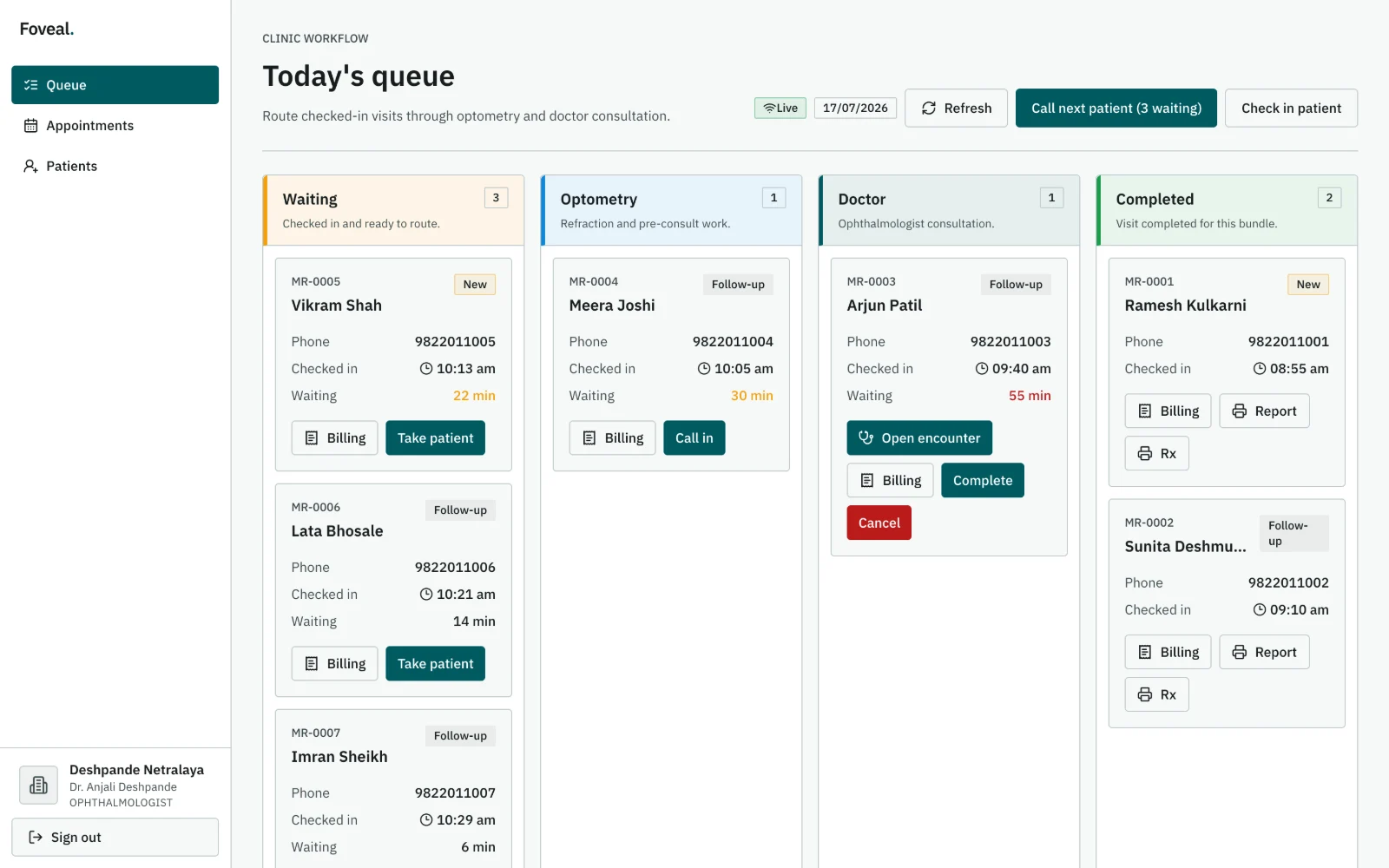
The queue updates live on every screen in the clinic. Staff take the next patient themselves, so there is no runner between rooms. A clinic without an optometrist sends patients straight to the doctor.
03 · OptometristVision, refraction, pressure
The optometrist takes her, records unaided and best-corrected vision, the refraction rows they use (objective, subjective, and her current glasses), and IOP with the tonometer they used. Last visit's refraction sits beside today's. If drops go in for dilation, that is marked on the visit. Then one button sends her to the doctor.
Everything typed is saved as a draft on that machine as it is typed, so a power cut does not lose the work-up.
04 · DoctorExamine, diagnose, prescribe
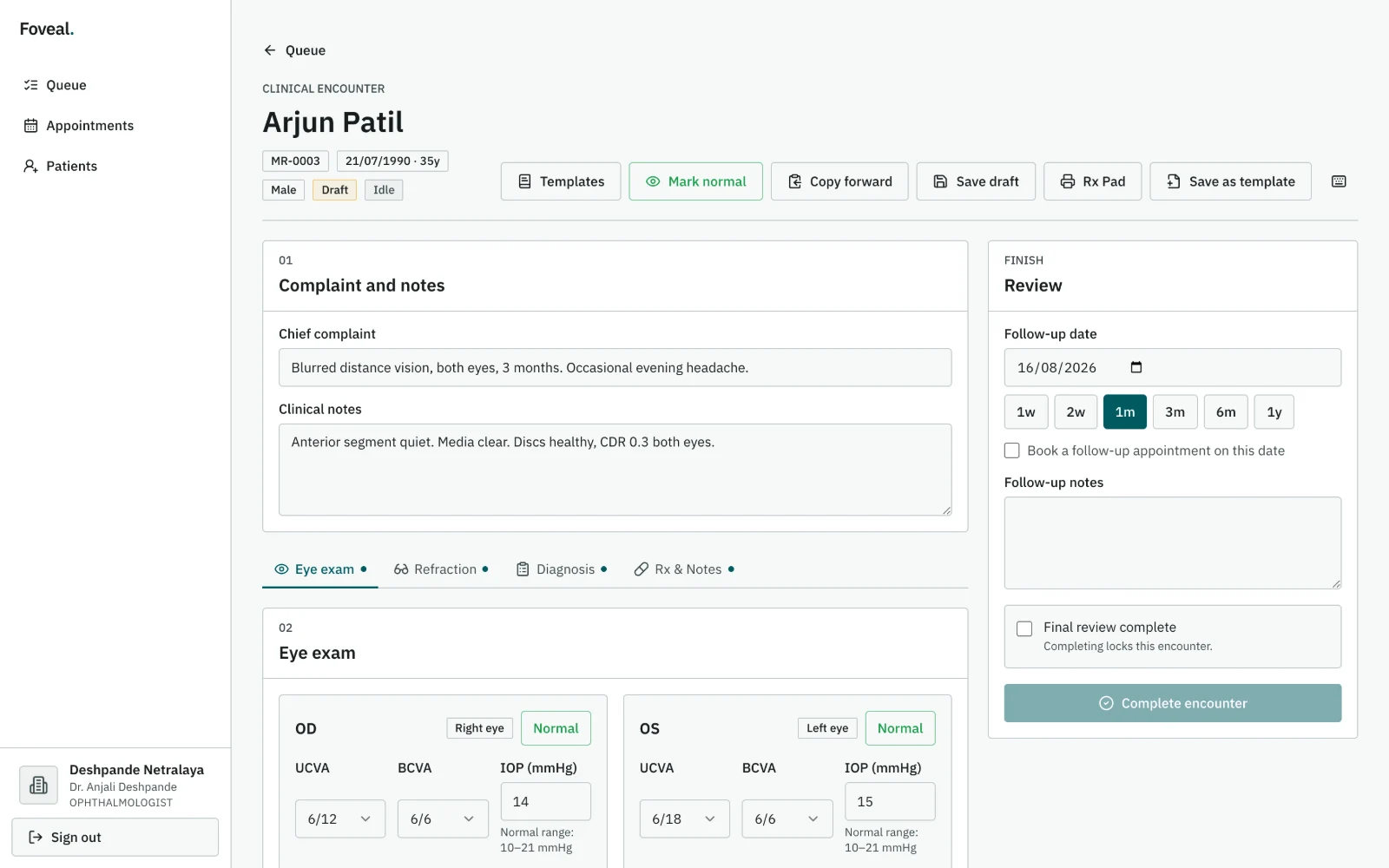
The doctor opens her chart from the queue. The optometrist's findings are already there. "Mark normal" and saved templates fill only the fields still blank, so nothing the optometrist or doctor typed is overwritten. The doctor adds slit-lamp and fundus findings, picks an ICD-10 diagnosis for the right eye, left eye or both, and writes the prescription. Medicines the doctor has prescribed before fill in from a few letters, with the dose and instructions they used last time.
On the Finish tab the doctor sets the review date and completes the visit. A switch there, on by default where the patient can receive it, sends her records on WhatsApp.
05 · BillPay at the desk
Back at reception, the bill already holds the consultation fee. The receptionist adds any test or procedure from the clinic's price list and takes cash, UPI or card. Part-payment is fine; the balance stays on the bill. If the clinic has added its UPI ID, the printed bill carries a QR code for the amount still due.
06 · Paper and phonePrescription, report, WhatsApp
The prescription, the visit report and the bill print on the clinic's letterhead. Each medicine line names the eye in words — "Right eye (OD)" — and the frequency too, with instructions in English, or English with Hindi or Marathi if that is what she reads.
On her phone, a WhatsApp message carries a link to the same prescription, report and receipt. She opens it with the last four digits of her mobile number; the link stops working after three days. If she has not come back or booked by the review date, she gets one message asking her to call the clinic.
If the internet drops halfway
Foveal works best online. If the internet drops, the desk keeps working: registrations, check-ins and payments are saved on the machine for up to 72 hours and sync on their own, and consultation drafts are kept on the machine too. Your stored data is unaffected.